
If your asset label stops scanning after six months on site, the problem usually starts long before it gets stuck on the equipment. When people ask how to create barcode asset labels, they often focus on the barcode itself. In practice, the barcode is only one part of the job. The data format, label material, adhesive, print quality and site conditions all decide whether that label will still be doing its job after heat, UV, grime and daily handling.
For maintenance teams, HSE managers and procurement staff, that matters. A barcode asset label is not just an identifier. It supports stock control, scheduled inspections, service history, audits and replacement planning. If the label fades, peels or scans poorly, the whole tracking process becomes slower and less reliable.
How to create barcode asset labels that work on site
The quickest way to get this right is to start with the asset, not the artwork. Before you choose size, barcode type or material, define what the label needs to do in the field. A workshop tool, a fixed electrical panel and a mobile plant asset will not need the same label construction, even if they all sit in the same register.
Start with the data you want to capture. Most asset labels include a unique asset number, a barcode, and often a company name, site name or contact detail. Some also carry serial numbers, service references, department codes or tamper-evident messaging. Keep the layout disciplined. Trying to force too much information into a small label usually creates scanning issues and makes the printed text harder to read.
Next, choose the barcode symbology. Code 128 is a common option for asset tracking because it is compact and handles letters and numbers efficiently. Code 39 is still used in some systems and can be a practical choice where compatibility matters more than density. If your software or scanners already work with a specific barcode format, follow that requirement first. There is no value in picking the most compact barcode if your existing process cannot read it reliably.
Match the barcode to your asset system
The barcode should reflect the logic of your asset register. If your internal numbering is inconsistent, barcode labels will only make the problem more visible. Decide on a numbering structure before labels are printed. That might include a site prefix, asset category and sequential number, or it may simply be a unique numeric ID linked to your software.
Shorter data strings generally produce cleaner barcodes, especially on smaller labels. That said, shorter is not always better if it creates duplication or confusion between sites. The right balance depends on how your business manages assets across locations, crews and departments.
Leave enough quiet space
A common mistake is cramming the barcode to the edge of the label. Scanners need clear margins, known as quiet zones, around the code. If the barcode is too close to text, borders or logos, scan performance drops. The same goes for shrinking the barcode too far to fit a tight layout. A compact label can look neat on screen and still fail in the field.
Choose materials for the real environment
This is where many asset labelling projects either hold up or fall over. Office-grade labels might be fine for indoor shelving or archive boxes. They are not built for plant, transport equipment, workshop tools, outdoor service assets or high-contact industrial gear.
If the asset sits outdoors, UV resistance matters. If it is exposed to washdowns, oils or chemical splash, the face stock and print method need to resist those conditions. If the surface is rough, curved or powder-coated, adhesive choice becomes critical. A barcode that prints perfectly is useless if the label lifts at the corners after a few weeks.
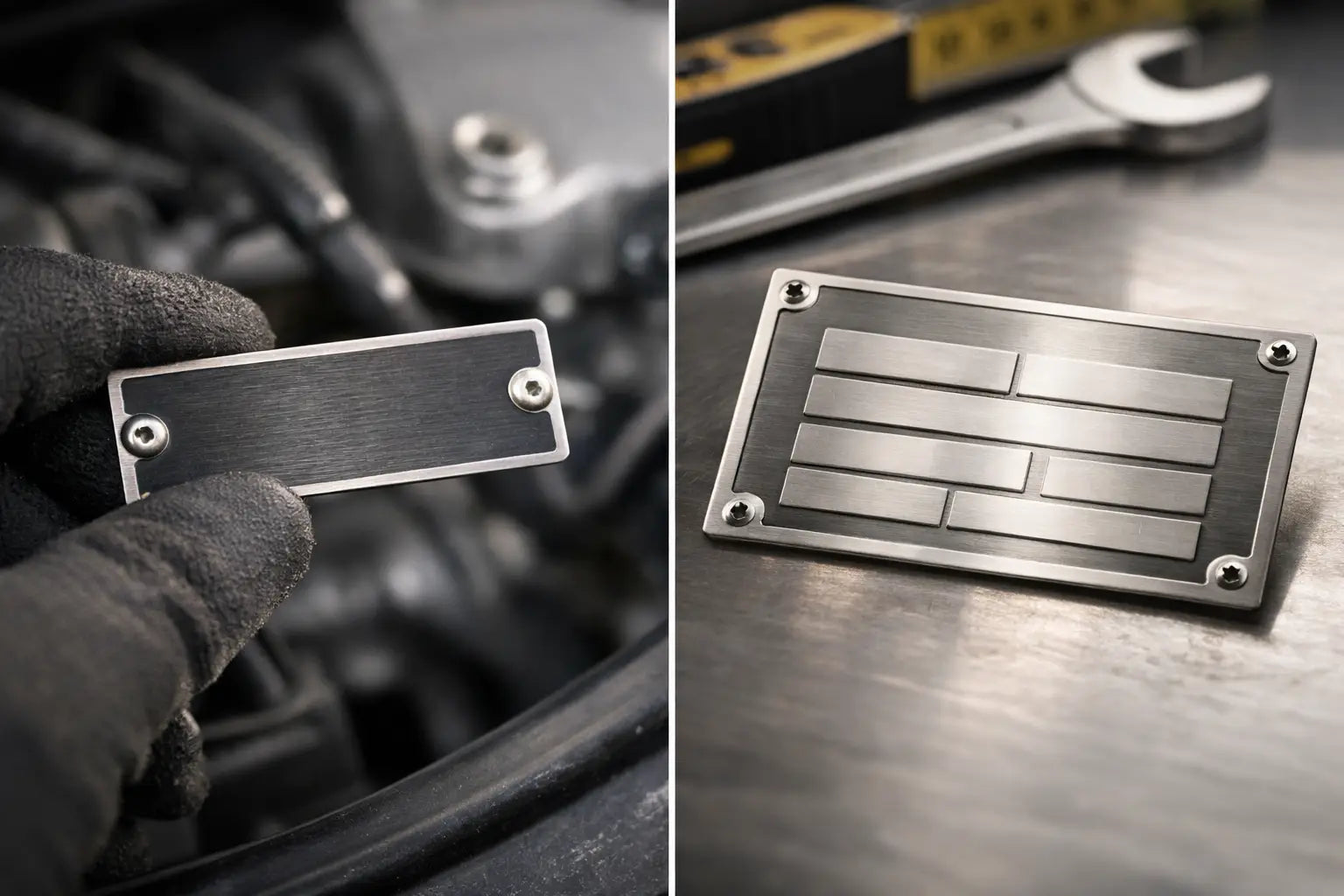
Polyester labels are often a strong all-round option for industrial asset identification because they offer good print stability and durability. For harsher applications, metal asset plates or more specialised constructions may be the better fit. The decision depends on expected lifespan, surface type and abuse level. There is always a trade-off between upfront cost and replacement frequency. In most industrial settings, replacing failed labels costs more than specifying the right material from the start.
Adhesive matters as much as the label face
A good face material with the wrong adhesive will still fail. Clean, smooth indoor surfaces allow more flexibility. Dirty, textured, low-energy or exposed surfaces do not. If the asset has paint, rust, heat exposure or regular vibration, you need a label construction designed for that reality.
This is also where asset preparation matters. Even the best adhesive struggles on dust, grease or flaking paint. If labels are being applied in a shutdown window or across multiple crews, simple installation instructions save a lot of rework.
Design for scanning first, branding second
A barcode asset label does not need to be flashy. It needs to scan quickly and stay legible. High contrast is essential, with black print on a white or light background still being the safest option in most cases. Reverse printing, decorative backgrounds and low-contrast colours might suit marketing pieces, but they create unnecessary risk for operational labels.
Use clear human-readable text beneath or beside the barcode. If a scanner fails or a device battery goes flat, your team still needs to identify the asset manually. This is especially useful during audits, maintenance rounds or field work where conditions are less controlled.
If you include a logo, keep it secondary. The barcode and asset number should be the visual priority. Small labels benefit from restraint. A crowded design makes scanning harder and slows down anyone trying to read the label at a glance.
Print quality decides whether the code performs
Even a well-designed label can fail if the print quality is poor. Barcode lines need to be crisp, with no bleeding, voids or fuzzy edges. Print method matters here. Thermal transfer printing is widely used for durable industrial labels because it produces sharp, stable output when matched with the right ribbon and material. Digital print can also work well depending on the construction and application.
Whatever process you use, test before committing to a full run. Scan samples with the same devices your team uses on site. Do not rely on a mobile app if your actual workflow uses handheld scanners or integrated maintenance systems. Different scanners tolerate different print quality, barcode size and contrast levels.
Test in the conditions that matter
Bench testing is useful, but field testing tells the real story. Apply sample labels to the actual asset types, then expose them to the likely conditions - sun, abrasion, cleaning products, workshop grime or outdoor weather. Scan them after installation, then again after days or weeks if the application is critical.
That extra step often highlights issues early, such as labels silvering on textured surfaces, edges catching on handling points, or print dulling under repeated cleaning. Fixing that before rollout is cheaper than replacing labels across a fleet or facility.
Build the rollout around consistency
Once the label spec is right, standardise the process. This is where good asset labelling programs save time year after year. Set rules for data entry, numbering, label placement and application method. If every site applies labels in a different spot or uses a different naming convention, scanning becomes inconsistent and audits get messy.
Placement should be practical. Put the label where it can be scanned without forcing awkward access, but where it is also protected from obvious wear if possible. On some assets, that means the easiest scan point. On others, it means compromising slightly to avoid impact, rubbing or direct exposure.
If multiple teams are involved, keep the instructions simple. Define the approved label type for each asset class, the cleaning method before application, and the exact data source for the asset number. Consistency reduces duplicates, missed assets and premature failures.
When custom labels are the better option
Off-the-shelf labels can work for low-risk indoor environments, but industrial assets often need something more specific. Custom barcode asset labels make sense when you need exact sizes, sequential numbering, branding, stronger adhesives, tamper-evident features or materials suited to Australian outdoor conditions.
That is particularly relevant for mining, construction, utilities, transport and manufacturing sites where labels deal with UV, dust, heat and handling every day. In those environments, customisation is not about appearance. It is about making sure the label survives long enough to justify the rollout.
A supplier with experience in industrial identification can also help catch avoidable errors early, such as choosing a barcode too dense for the label size, specifying the wrong adhesive for powder-coated gear, or underestimating the effect of constant sun exposure. Prime Tags Australia works with businesses that need that kind of practical fit-for-purpose thinking, especially where durability and turnaround both matter.
The mistakes that cost the most
Most barcode asset label failures come back to a short list of issues. The wrong material gets selected because the application looked simple on paper. The barcode is sized for aesthetics instead of scan reliability. Data is not standardised before print. Labels are applied to dirty surfaces. Or testing gets skipped because the rollout needs to happen quickly.
Speed matters, but failed labels create more admin than careful setup ever will. The better approach is to treat barcode asset labels as part of your asset management system, not as an afterthought. When the data structure, material and print quality all line up, the result is straightforward - faster scans, cleaner records and fewer replacements.
If you are setting up a new asset register or replacing labels that have not lasted, start with the conditions your assets actually face. The right label is the one that still scans when your team needs it most, not the one that only looked good on day one.